
A Case for Naming Your Files Like a Pro
I know – file organising isn’t the cutest topic. But hear me out. This is the absolute backbone of any business, whether you’re working solo or part of a big team.
Over the years, I’ve seen both ends of the spectrum: teams with watertight systems where everything had its place… and others that felt like digging through a digital landfill. (You know the type; folders named “final_final_v3_REALFINAL” and assets scattered across desktop purgatory.)
Embrace your inner organiser (you know they’re in there)
I’ve been borderline obsessive about organising my digital life since I was a kid. I have a photo archive in immaculate chronological order dating back to 2002 (I was 11!) which means I can quickly find anything – down to a blurry Nokia photo from a school camp twenty years ago. Yes, it’s nerdy and slightly embarrassing, but it’s also why I can confidently say: a little structure goes a long way.
Because the truth is, setting up a logical folder system and consistent naming convention isn’t just about neatness – it’s about saving time, avoiding stress, and making collaboration infinitely smoother.
Okay, but why does it matter?
You’ll actually find things. No more digging for that one logo export or wondering which version your client approved.
It keeps your projects consistent. When everything follows the same pattern, your brain (and your teammates’) instantly knows what to look for.
It’s future you’s best friend. Whether it’s a project from last week or last year, you’ll always know exactly where to start.
Let’s get things in order!
Start simple. You don’t need a 30-step system or fancy software, just a bit of logic and consistency.
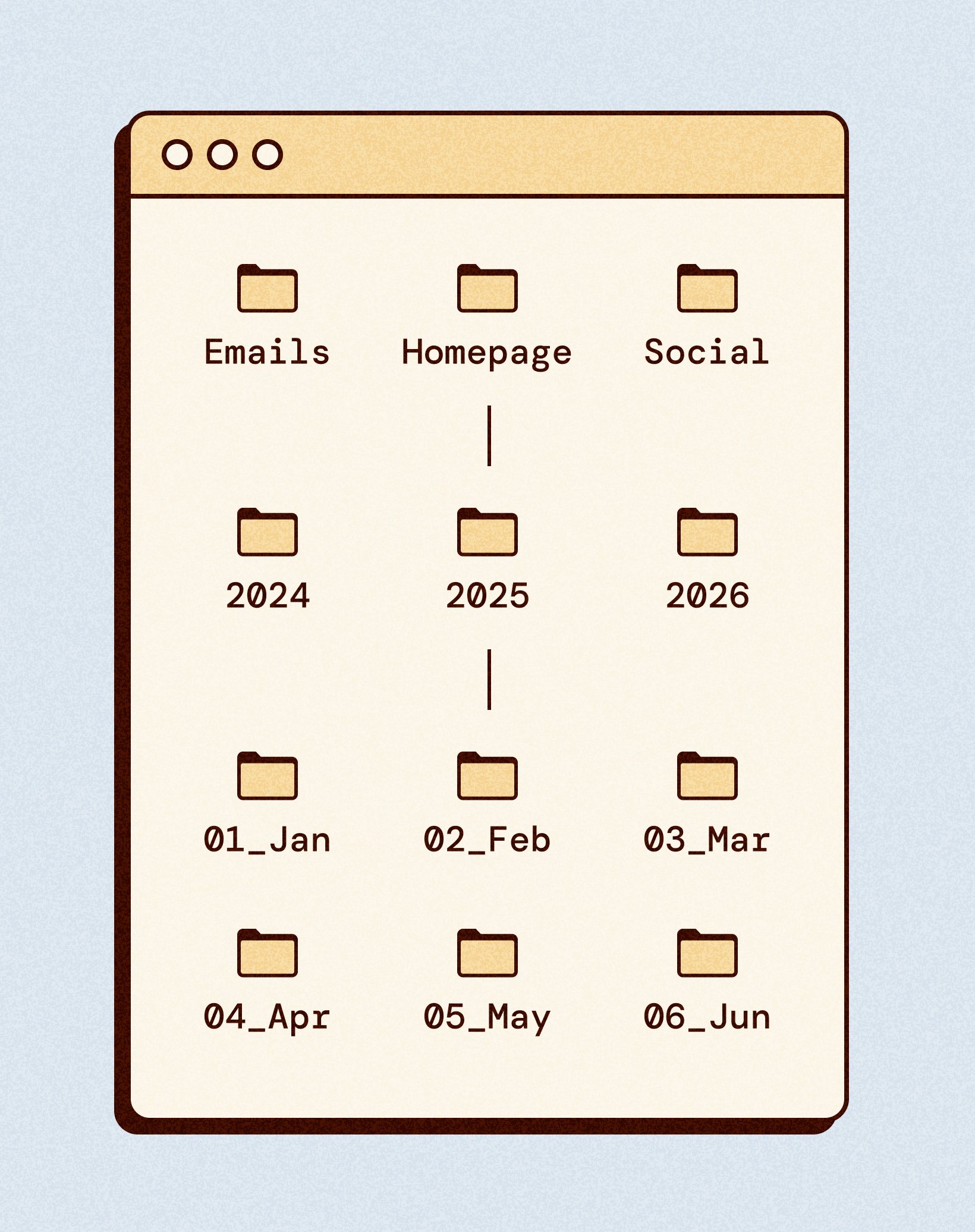
⚬ Choose a clear folder structure:
Think about how your projects naturally break down – maybe by client, year, or service type.
⚬ Use numbers for control:
If you want folders or projects to appear in a particular order, start with numbers (e.g. 01_Branding, 02_Websites, 03_Print). It gives you more control and keeps things visually organised.
⚬ Subfolders are your friend:
More folders don’t mean more chaos – they mean clarity. It’s far easier to look through five small, well-labelled folders than one giant one packed with 300 mixed files.
⚬ Stick to a naming pattern:
For recurring project types (say, client emails or social posts), stick with the same naming pattern each time. Future you will thank you when everything lines up perfectly in your folders.
An easy way to make this even simpler is to create a blank “starter” folder with your preferred structure already inside — then just copy and paste it each time you start a new project.
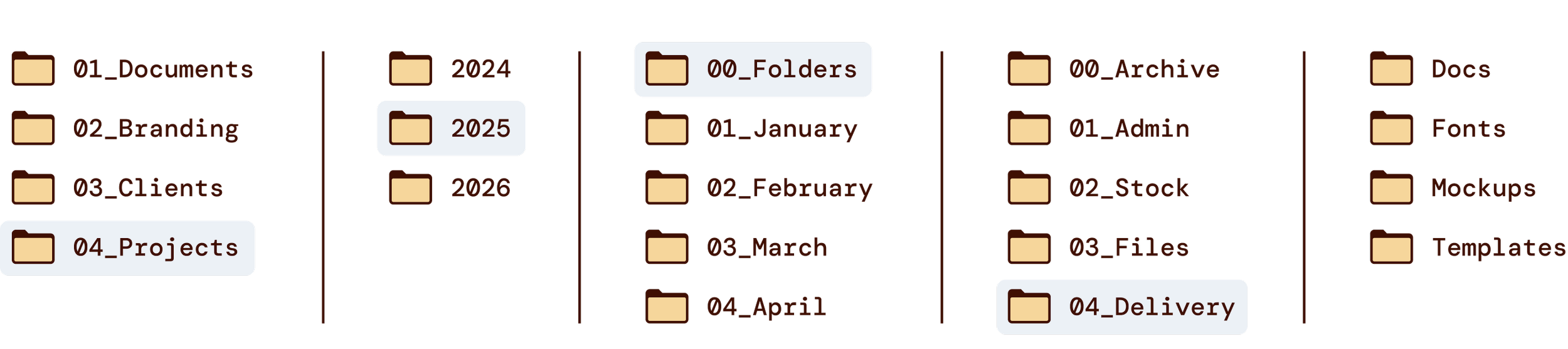
A few extra tips 👇🏼
Keep names short but descriptive – enough to know what you’re opening at a glance.
Avoid spaces (use underscores or hyphens instead). Some systems replace spaces with %20 when files are shared online, which can make names messy or confusing.
If you use cloud storage, make sure your system works across platforms (Google Drive, Dropbox, etc.) so files sync predictably.
An archive is key to keeping things tidy. The moment a file stops being useful, move it to the archive; out of sight, but not gone forever.
The calm after the clutter
Spending an afternoon cleaning up your folders or renaming files might feel like a chore, but it’s one of those tasks that pays off every single day after. You’ll work faster, feel calmer, and never again panic when someone says, “Can you resend that file?”
Because once you’ve got a naming system that works – you can stop searching and start creating.

Hi, I'm Steph! Designer, tinkerer, and your go-to for calm, considered design advice. This is where I share tips, tools, and resources for building a business (and a website) that feels like home.
View All Posts
